
Anime Art Style Prompts for AI: How to Control Character Details and Style
When using AI art tools (like Kusa Anime AI Art Generator) to generate anime characters, many users encounter a common frustration: "I typed the correct words, so why can't the AI draw the details I want?" or "Why are some character features very stable, while others always end up looking broken?"
This isn't just a matter of luck; it’s often because your Prompt hasn't been "optimized" to a state that the AI understands best.
In this tutorial, we will teach you how to precisely control character generation from two dimensions: underlying logic and tool assistance.
Method 1: Understanding AI Art Prompt Strength Using Danbooru Tag Counts
To precisely control AI, you first need to understand how AI "learns" to draw. Currently, the vast majority of mainstream anime AI models (including various Checkpoints) are trained on datasets from image boards like Danbooru.
During training, images are labeled with various Tags. This leads to a very interesting phenomenon: The strength of a Tag is directly related to its frequency in the training set.
Why Tag Frequency Matters in AI Art Prompting
Imagine if the AI saw one million images tagged with blue_eyes during training. Its understanding of "blue eyes" would be profound, and the generation results would be very stable.
Conversely, if you use a very obscure word—such as a specific, rare accessory—and there are only a few dozen images with that tag in the training set, the AI's concept of it will be vague. The result will naturally be prone to deformation or simply ignored.
Practical Tag Weight Guidelines for AI Art Prompts
Before constructing an AI art prompt, you can search for relevant tags on Danbooru and observe their counts.
-
High Frequency Tags (5k+) These are "Strong Tags." Usually, no extra weight is needed, or standard weight is sufficient for the AI to reproduce them perfectly.
-
Medium Frequency Tags (1k–3k) These are "Medium Tags." If there are many elements in the image, you may need to increase the weight appropriately (e.g.,
(tag:1.2)) to prevent them from being ignored. -
Low Frequency Tags (<1k) These are "Weak Tags." The AI understands them poorly. You may need to mix multiple related descriptive words to assist, drastically increase the weight, or even resort to using a LoRA to achieve the desired effect.
Summary: Understanding tag strength at the dataset level allows you to construct AI art prompts with intention instead of relying on trial and error.
Method 2: Improving Anime AI Art Prompts with Built-in Prompt Optimization
If you find checking Tag counts manually too troublesome, or if you not only want to control the character but also instantly improve lighting, texture, and composition, the simplest way is to use the tool's built-in "Magic."
Kusa Anime AI Art Generator includes an AI Optimize feature. This is not a simple decorator. It is a fine-tuned language model designed to translate human intent into prompts that anime AI models understand more effectively.
How This Feature Works
As shown in the interface, there is an Optimize button below the prompt input box.
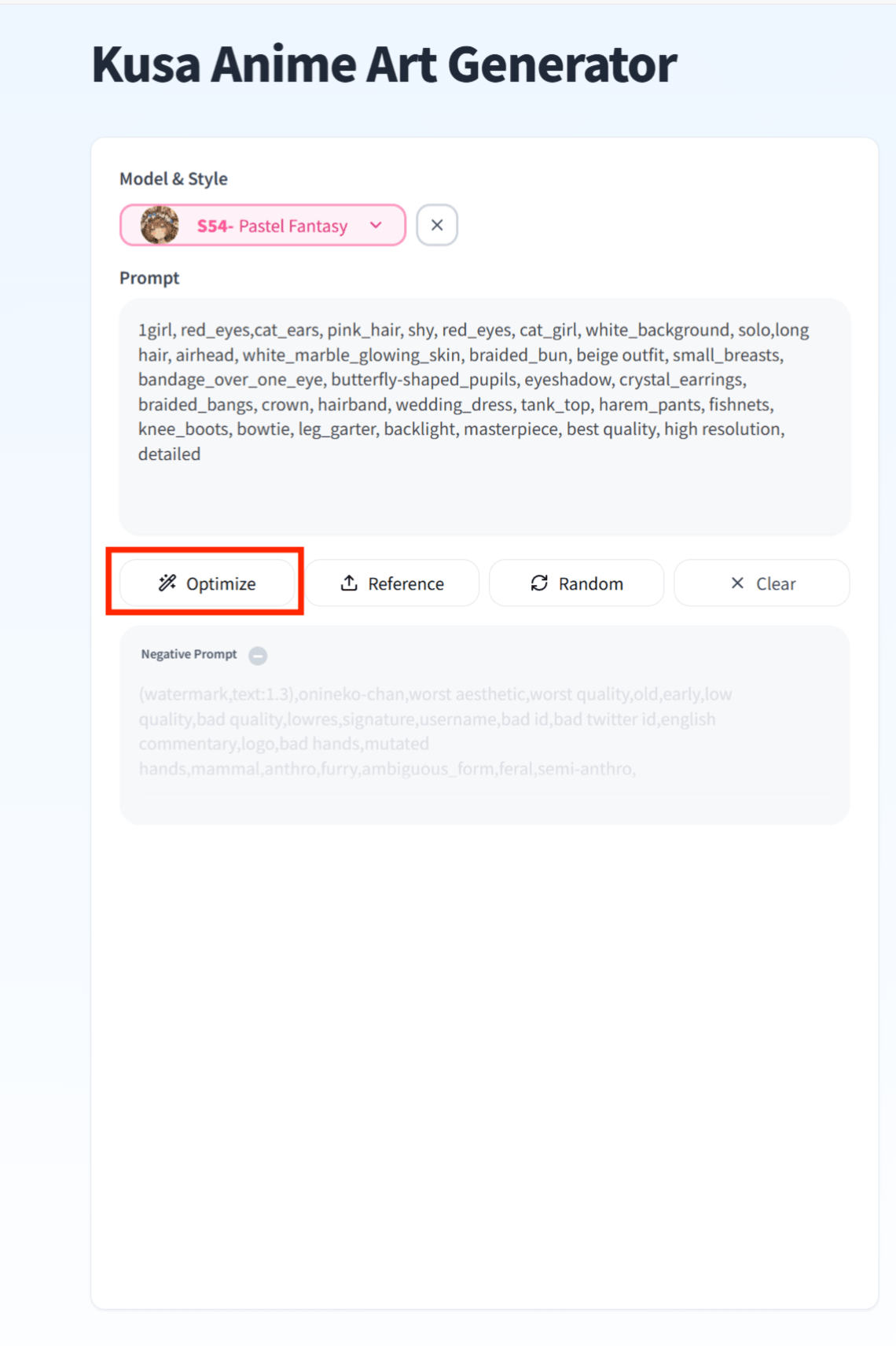
-
Input Simple Concepts
You only need to input your core idea, such as:
1girl, sitting, beach -
Click Optimize
After clicking the button, the system automatically analyzes your intent.
-
Generate an Enhanced Prompt
The AI will automatically supplement your prompt with high-quality modifiers. These usually include:
- Quality tags such as
masterpiece, best quality, highres(ensuring clear image quality). - Lighting tags such as
cinematic lighting, detailed shadows(adding depth to the image). - Detail Supplementation: Automatically associating reasonable detail Tags based on your subject.
- Quality tags such as
Method 3: Using an OC Generator Prompt Selector to Define Character Style and Identity
When creating original characters, starting from an empty AI art prompt often leads to unstable results. Defining a clear character identity early greatly improves generation stability.
Kusa Anime AI Art Generator provides an OC Generator with a built-in prompt selector that allows you to quickly choose:
- Character archetype and role
- Visual style and mood
- Body type and framing
This structured selection gives the AI a strong foundation before fine details are added.
Once a character identity is established, you can further refine the prompt or apply optimization to enhance quality. This method is especially effective for generating consistent OC designs and avoiding random or broken character features.
Want to learn more about OC creation? Read our comprehensive guide: How to Make an OC
AI Art Prompt Examples for Anime Character Generation
Below are three complete AI art prompt examples that demonstrate how tag frequency, structure, and style control work together in practice.
Example 1: Angel-Themed Anime Character Prompt

Character Foundation:
solo, 1girl, medium shot
Appearance Details:
pale skin, yellow eyes, white hair, long hair, french braid,
shiny hair, bright pupils, petite, pointy ears
Character Theme:
sad, angel, halo, huge feather wings, wings covering the body,
white dress, veil
Quality Tags:
masterpiece, best quality, high resolution, detailed
This AI art prompt relies on high-frequency tags such as 1girl, angel, and wings to establish a stable character structure. Emotional descriptors and symbolic elements reinforce the intended mood.
Example 2: Witch Character AI Art Prompt
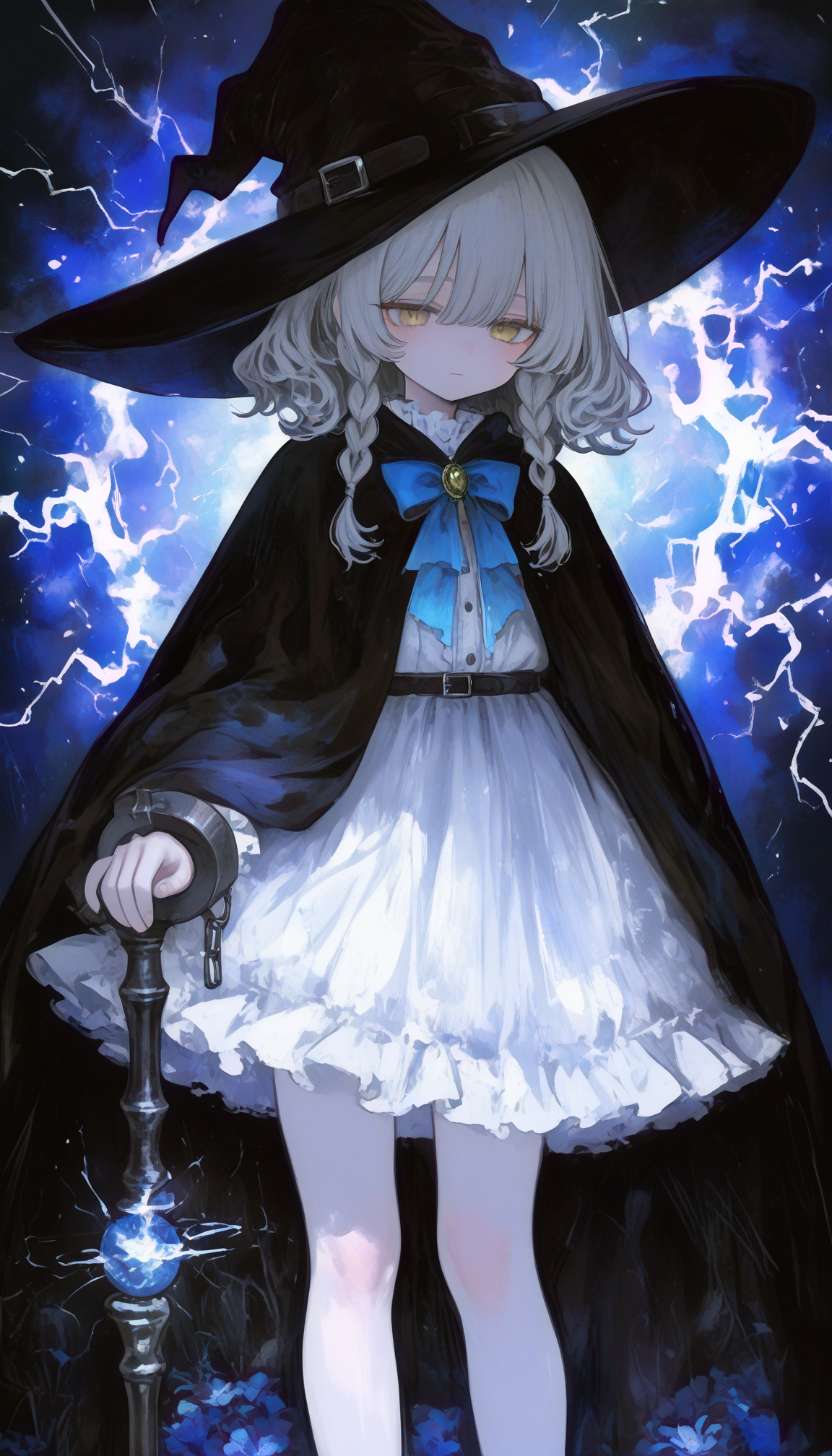
Character Foundation:
solo, 1girl, medium shot
Appearance Details:
pale skin, beige eyes, silver hair, medium hair, braid,
sad, petite
Character Theme:
witch, witch hat, magic robe, staff, bowtie, frilled dress,
cuffs, lightning
Quality Tags:
masterpiece, best quality, high resolution, detailed
In this example, strong character role tags such as witch and staff anchor the AI's understanding of the theme, while supporting details maintain visual consistency.
Example 3: Gothic Lolita Style AI Art Prompt
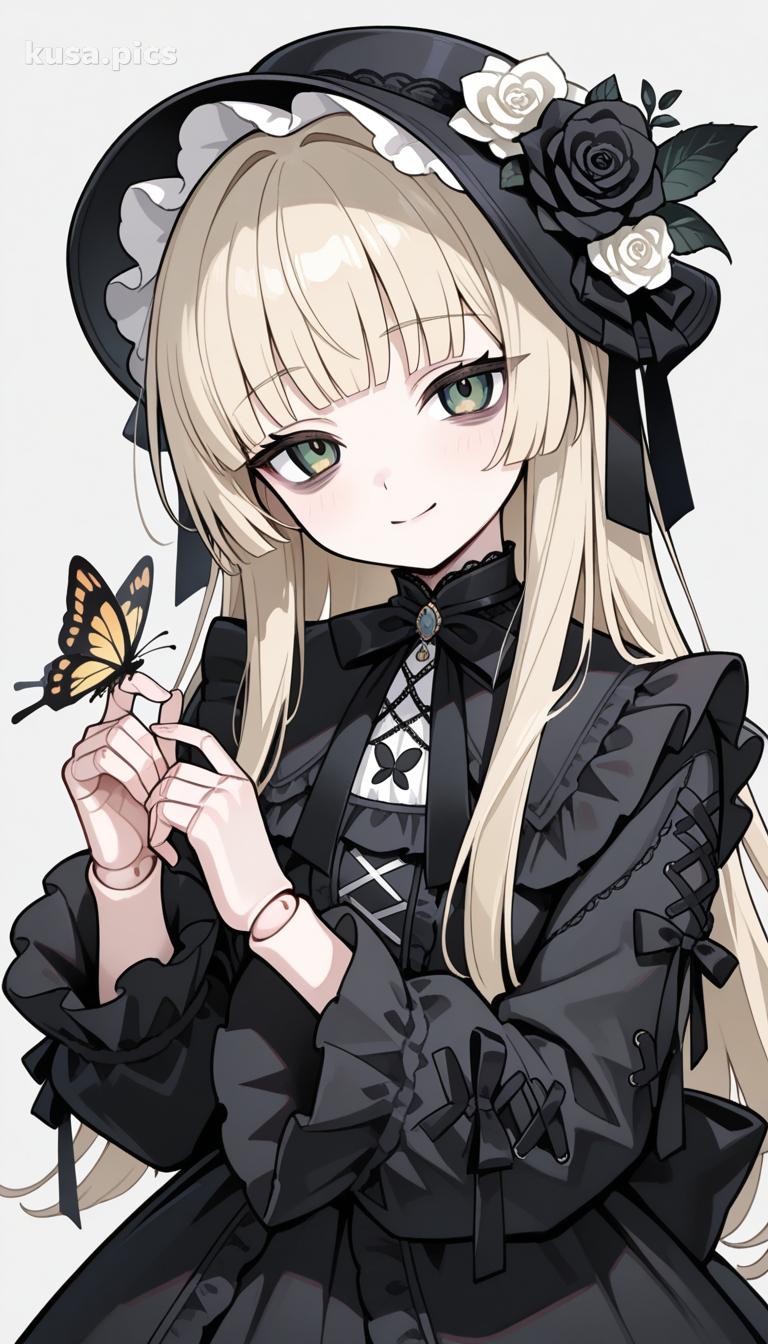
Character Foundation:
1girl, solo, upper body, looking at viewer, smile, closed mouth
Appearance Details:
blonde hair, long hair, blunt bangs, green eyes, bags under eyes,
doll joints
Pose & Composition:
hands up, head tilt, simple background, grey background
Fashion & Style:
dress, black dress, long sleeves, frilled sleeves, frills,
black headwear, hat flower, lolita fashion, gothic lolita
Decorative Elements:
flower, white flower, black flower, black rose, bug, butterfly,
butterfly on hand
Style Tags:
muted color
This prompt demonstrates advanced style control using layered fashion and aesthetic tags. High-frequency structure tags maintain stability, while specialized style tags refine the visual identity.
Want to improve your character designs? Read our Character Design Tips for Anime Creators to create more compelling characters.
Why This Is Recommended for Beginners
Many beginners produce images that look flat or grey. This usually happens because their prompts describe objects but lack style and quality tags that define the visual ceiling.
Prompt optimization works like an experienced AI artist refining your rough idea into clear instructions, significantly improving both consistency and visual quality.
New to anime AI art generation? Check out our complete beginner's guide on how to use an anime AI art generator for step-by-step instructions.
Conclusion
Prompt optimization is essentially a translation process. It translates the image in your mind into a structured language that AI models can interpret accurately.
- If you want maximum control over character features, understanding Danbooru tag logic is essential.
- If you want high-quality visuals with less manual effort, the built-in prompt optimization tools in the Kusa Anime AI Art Generator are highly effective.
- If you want stable and consistent OC characters, starting with the prompt selector in the Kusa OC Generator provides a strong structural advantage.
By combining these methods, you can achieve precise, reliable, and visually polished anime character generation.
Ready to create anime art with optimized prompts? Try the KusArt Anime AI Art Generator today and experience the difference that proper prompt optimization makes.
Related Resources
Explore these guides to enhance your anime creation workflow:
- How to Use an Anime AI Art Generator - Complete beginner's guide
- Anime AI Art Generator Explained - Understand how AI anime generators work
- Best Free Anime AI Art Generator - Compare free options
- How to Make an OC - Character development guide
- Character Design Tips - Improve your designs
Want to create original characters with structured prompts? Try our specialized OC Generator for consistent character design.


