KusArt
    AI Hairstyle Changer

    AI Hairstyle Changer

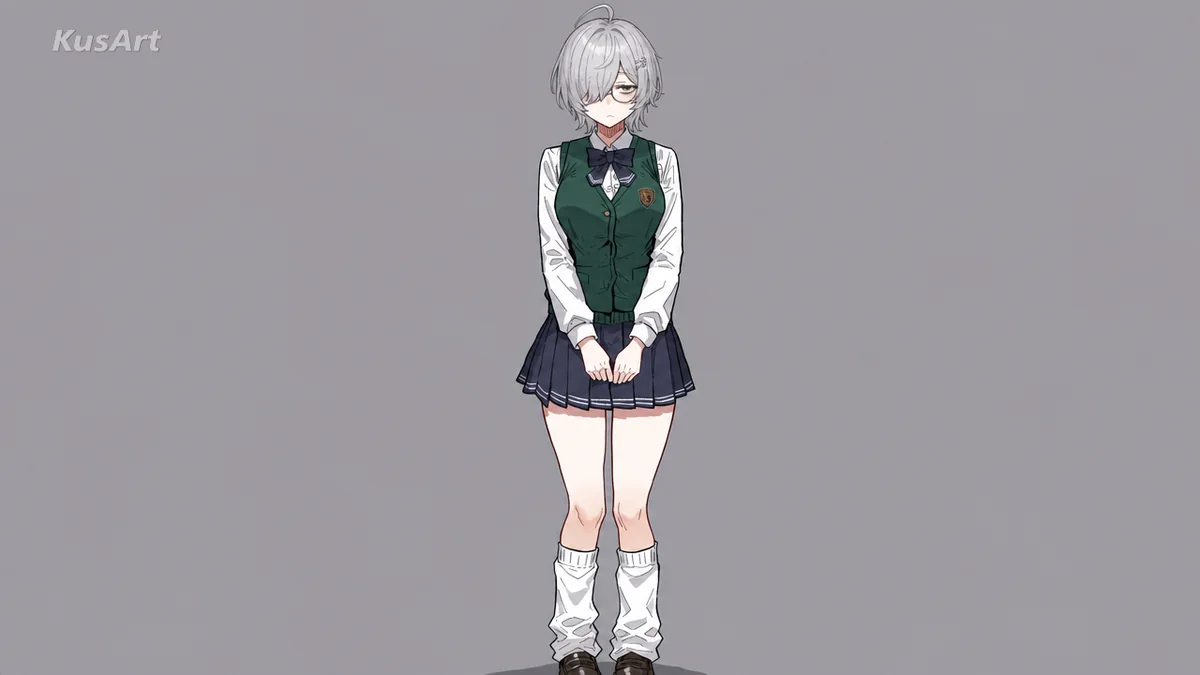
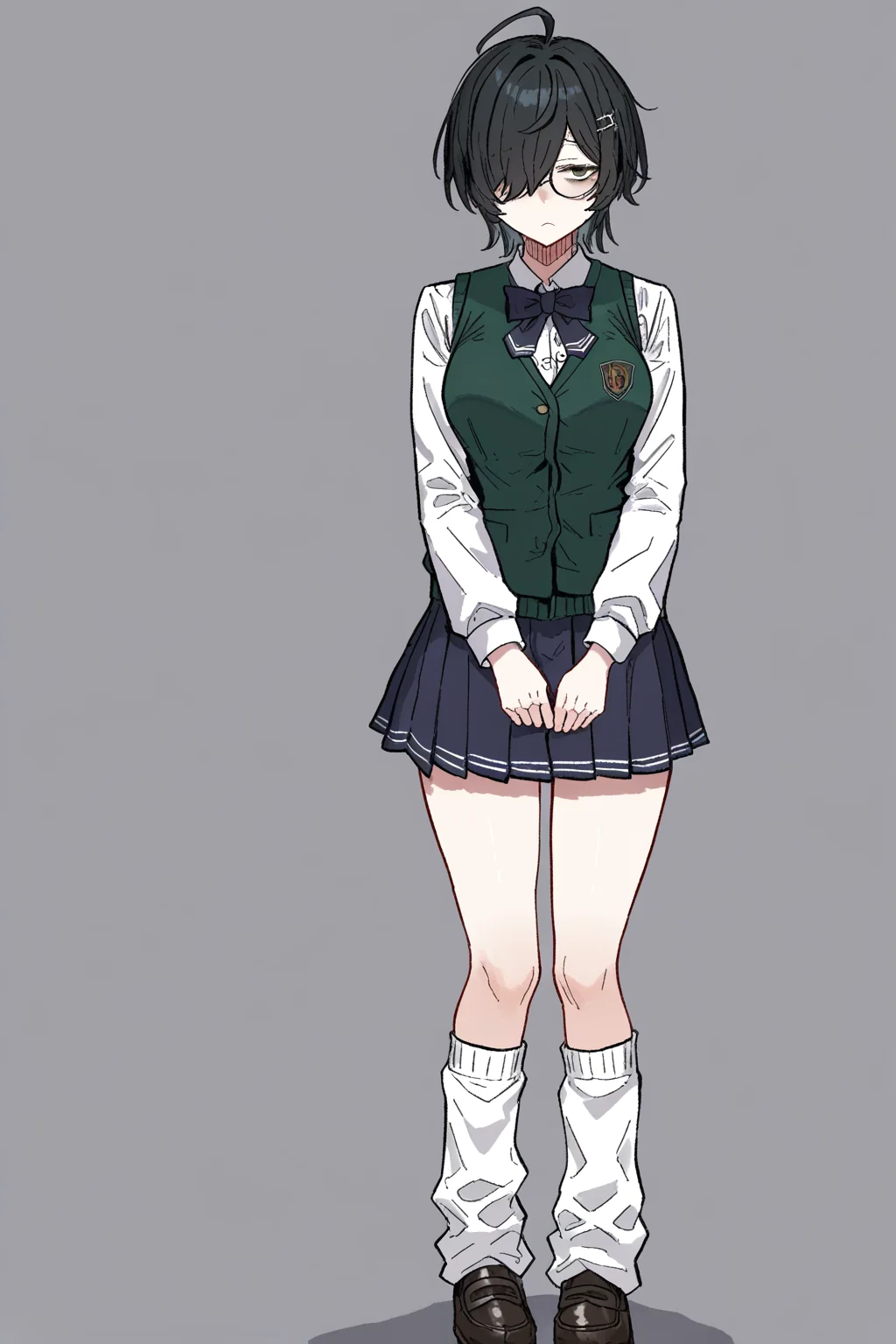
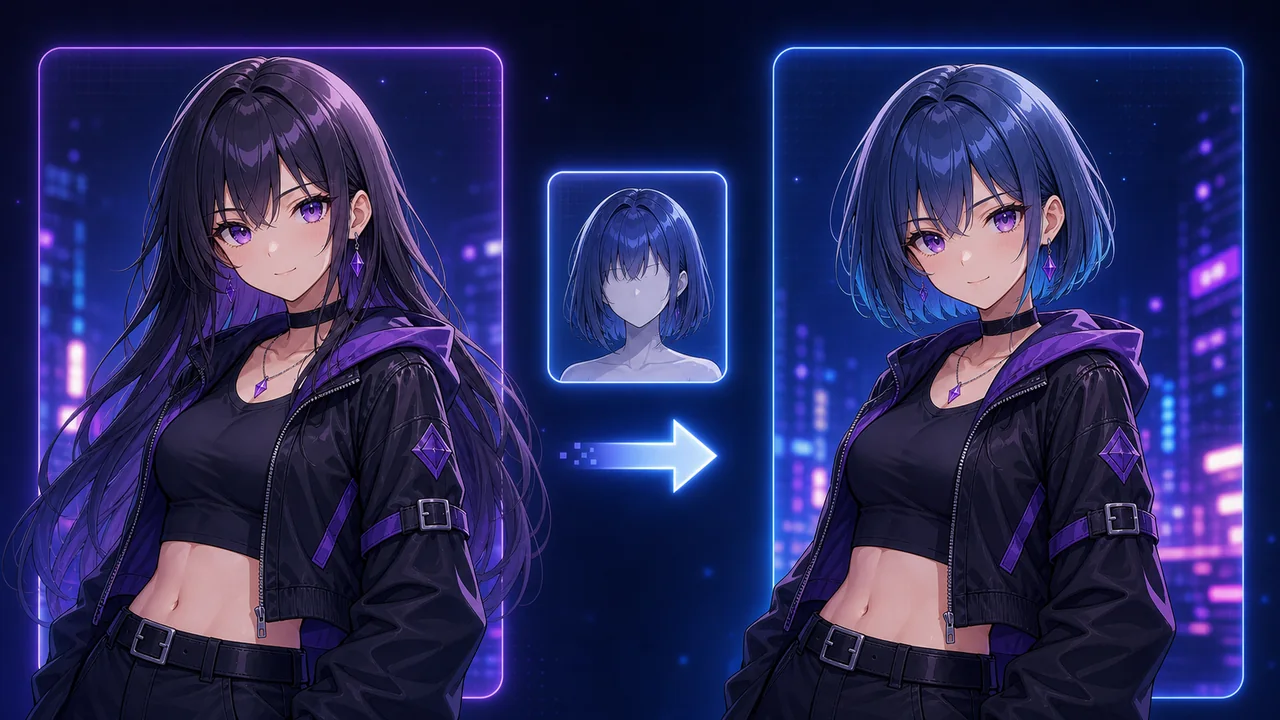
    Upload a character image and try new anime hairstyles or hair colors while preserving face identity, outfit, pose, and image style.

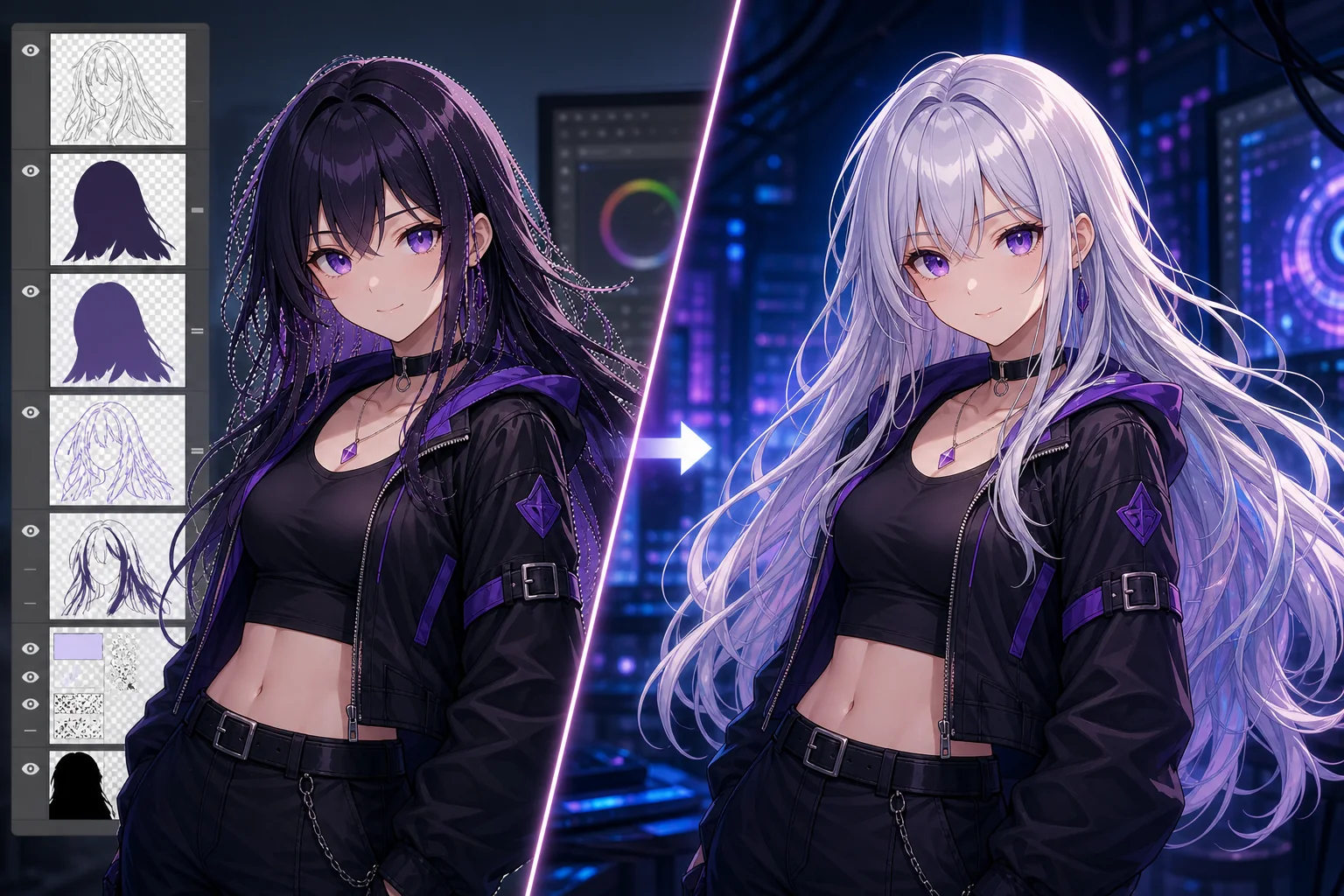
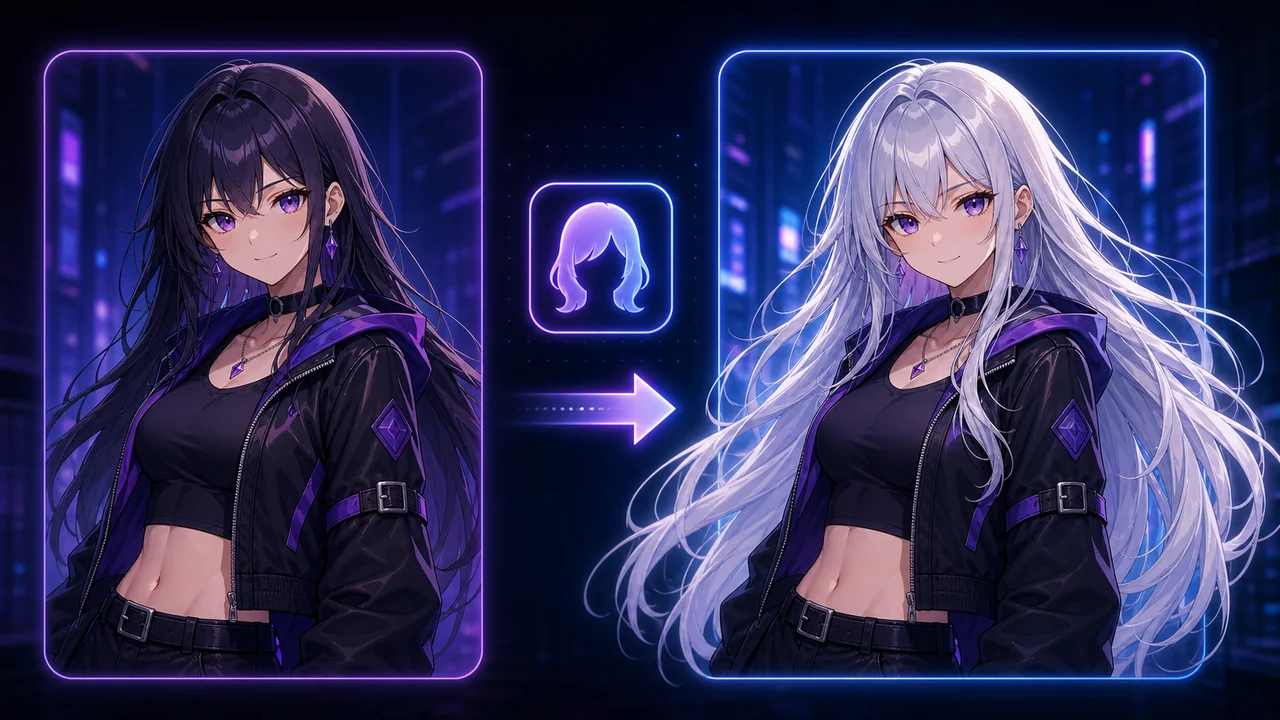
    Silver AI Hairstyle Changer result after
    Silver AI Hairstyle Changer result before

    Try New Anime Hairstyles and Hair Colors in One Click

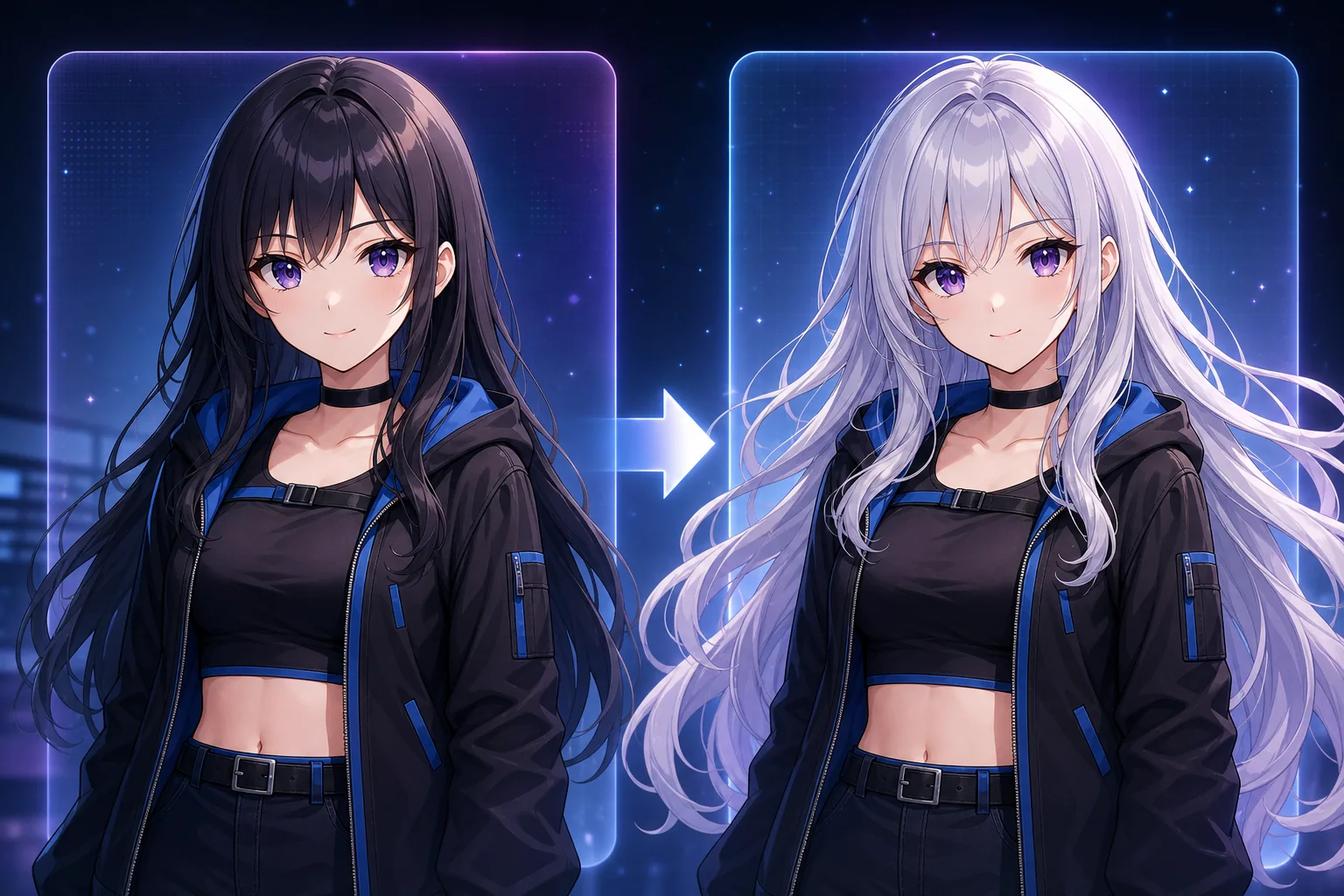
    Upload your anime character, choose a hairstyle or hair color preset, and use the AI Hairstyle Changer to edit hair while preserving face identity, outfit, pose, and image style. It also works as an anime hairstyle changer and AI hair changer for quick hair color tests, silhouette exploration, bangs changes, twin-tail concepts, ponytail ideas, and alternate OC designs. The goal is to let you explore hair without repainting the whole character or accidentally changing the face.

    Try It Free
    Try New Anime Hairstyles and Hair Colors in One Click - AI Hairstyle Changer

    What Is an AI Hairstyle Changer?

    The AI Hairstyle Changer is a KusArt character-editing tool that edits only the hair region from a reference image. It can change hair length, shape, bangs, texture, ornaments, and color while keeping the rest of the character design stable. The page treats hair as the editable layer and the face, expression, pose, clothing, background, and art style as protected context. That makes it useful for OC redesigns, avatar refreshes, hair color palettes, character sheets, and quick what-if concepts.

    What Is an AI Hairstyle Changer? - AI Hairstyle Changer

    Why Use AI to Change Anime Hair?

    Testing hairstyles manually means repainting hair volume, highlights, shadows, bangs, side locks, face framing, and sometimes the entire silhouette. A small color change can require rebalancing skin tone and outfit colors, while a shape change can affect the character profile. AI keeps the character intact and lets you compare hair colors and styles quickly in History. You can try several versions before deciding which one fits the character personality, outfit, and scene mood.

    Why Use AI to Change Anime Hair? - AI Hairstyle Changer

    Manual Hair Edits Are Easy to Overwork

    Hair is one of the hardest anime details to repaint because it touches the face, silhouette, accessories, and clothing. If you repaint too much, the character stops looking like the same person; if you repaint too little, the new hairstyle feels pasted on. The AI Hairstyle Changer shortens that loop by focusing the edit on hair while preserving the rest of the illustration. It is especially useful when you are refining art from the AI Image Generator or OC Editor and want hair variations before finalizing a design.

    Manual Hair Edits Are Easy to Overwork - AI Hairstyle Changer

    Built for Hair Exploration

    Every feature supports hairstyle and hair color iteration while protecting the original character design and scene context.

    Feature 01

    Hair-Only Editing Prompt

    The prompt construction focuses the model on hair shape, length, color, bangs, texture, and accessories while preserving face, outfit, pose, and background. This is important because hairstyle changes should not quietly redesign the eyes, body, clothing, or scene.

    Feature 02

    Hair Color Support Cluster

    Use hair color presets for silver, pink, blue, black, gradient, and fantasy colors without turning the page into a separate hair color tool. The AI hair color changer flow is prominent, but the main page still supports complete hairstyle changes.

    Feature 03

    Preset and Reference Picker

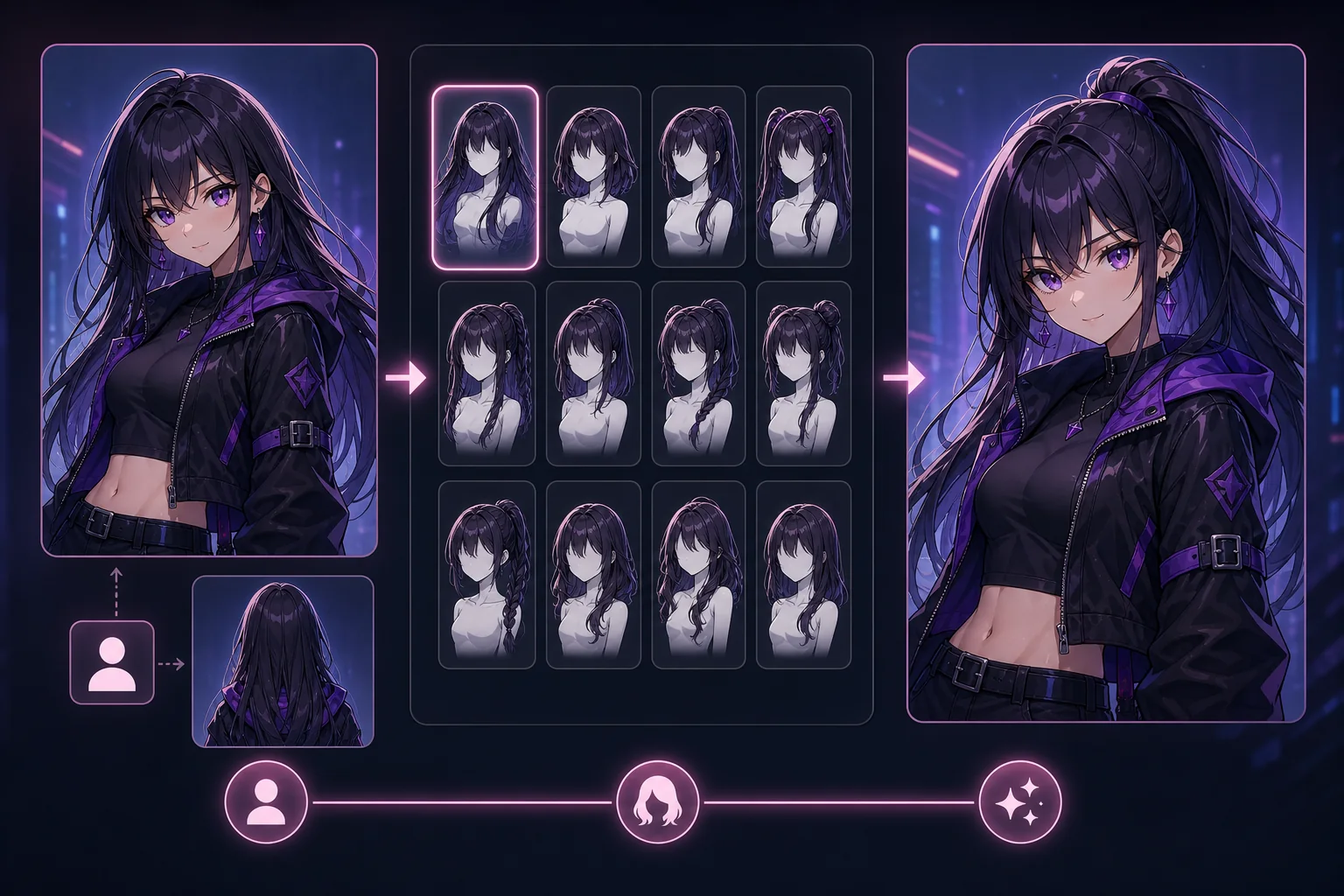
    Choose OC Edit hair presets or add a visual reference in the same pose-style dialog, with each result saved to History for comparison. A reference image is useful for complex bangs, twin tails, braids, accessories, or color blocking.

    From Upload to New Hairstyle

    Three steps from character image to hair variation, with presets and reference upload available when words are not enough.

    Step 01

    Upload Your Character

    Use a clear character image where the hairline, bangs, face, and upper body are visible. This helps the AI preserve identity while editing hair. Extremely cropped or shadowed portraits can still work, but visible hair boundaries make the result cleaner.

    Step 02

    Choose Hair Style or Color

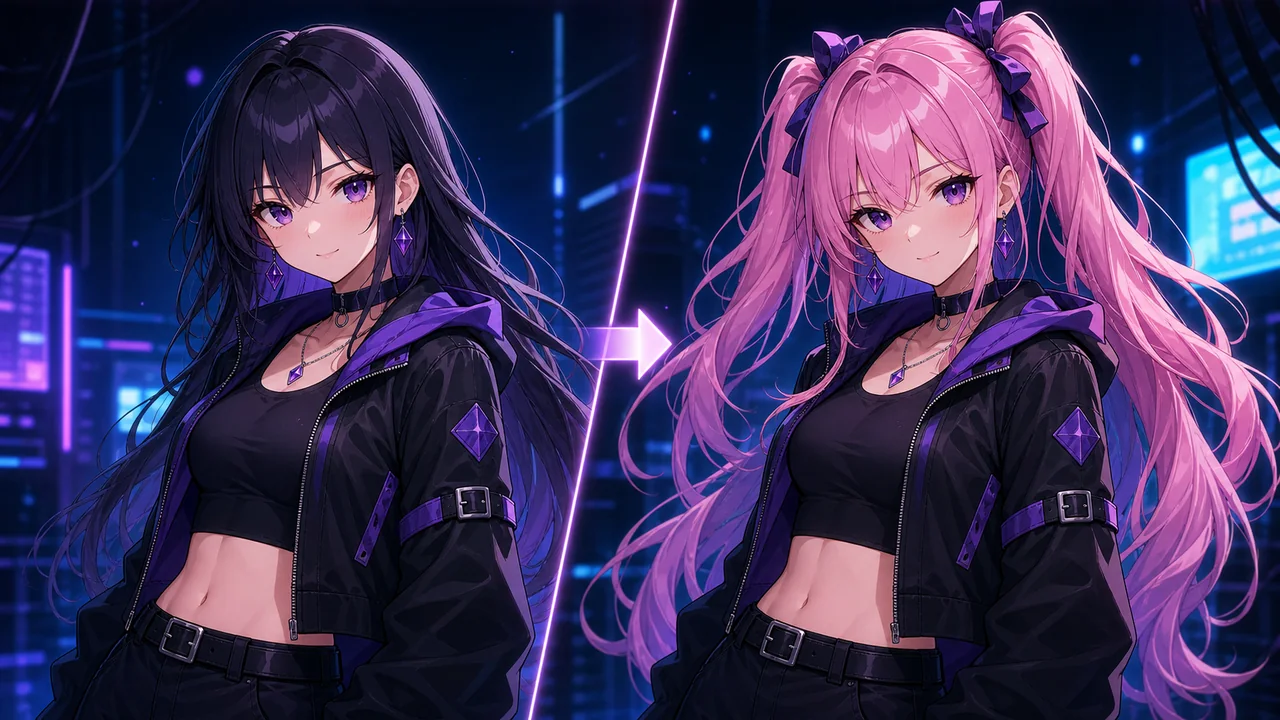
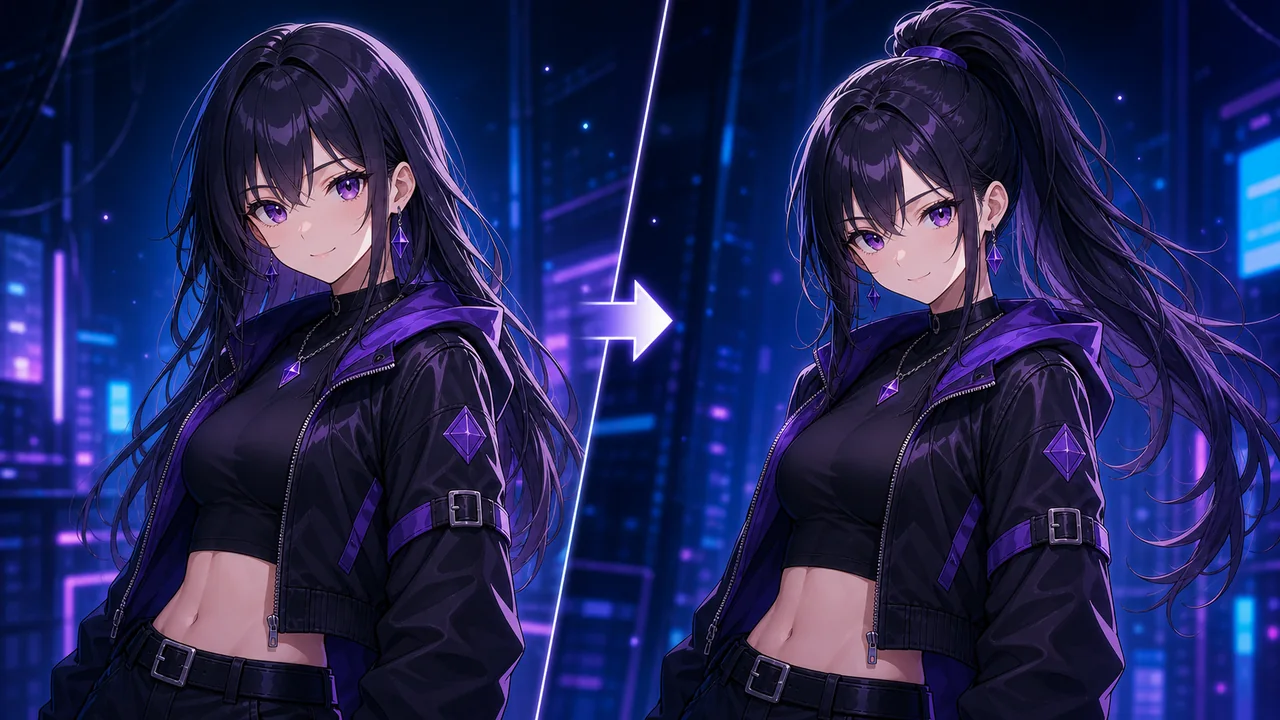
    Open the preset picker, select a hairstyle or hair color option, add a reference image, or describe the desired change in the prompt. You can ask for a short bob, long silver hair, pink twin tails, high ponytail, blue gradient hair, ribbons, or softer bangs.

    Step 03

    Generate and Compare

    Click Change Hairstyle, preview the result, and save the best version from History for future editing or download. Running multiple variations helps when you are choosing between color palettes or checking whether a hairstyle still matches the original outfit.

    Ready to Try a New Hairstyle?

    Upload a character, pick a hairstyle or hair color preset, and generate a new look in seconds. Compare several options in History before choosing the version that best fits your character.

    Start Changing Hair

    Popular Ways to Use the Hairstyle Changer

    Hair Color Experiments - AI Hairstyle Changer

    Hair Color Experiments

    Try silver, pink, blue, black, green, gradient, pastel, and fantasy colors before committing to a final character palette. This is useful when the outfit is already strong but the hair color needs better contrast.

    Alternate Character Designs - AI Hairstyle Changer

    Alternate Character Designs

    Generate long hair, short bob cuts, ponytails, twin tails, bangs, braids, wavy hair, and ornament variations for OC sheets. You can keep the same face and outfit while exploring several design directions.

    Seasonal and Outfit Matches - AI Hairstyle Changer

    Seasonal and Outfit Matches

    Match hair color or styling to a new outfit, event theme, background mood, or story arc. A warmer hairstyle can support a summer scene, while darker hair can make a dramatic outfit read better.

    Avatar Refreshes - AI Hairstyle Changer

    Avatar Refreshes

    Update profile images, VTuber concepts, and social avatars with a new hairstyle while keeping the face recognizable. It is a fast way to test a refresh without rebuilding the entire image.

    Frequently Asked Questions

    Can I use this as an AI hair color changer?+
    Yes. Hair color is a prominent mode on the AI Hairstyle Changer page, with presets and prompts for color changes while preserving the face and outfit. You can use it for simple color swaps or more stylized gradient looks.
    Can I change hair color online free?+
    You can try the tool with free credits to change hair color online free, then upgrade if you need more generations, watermark control, or larger batches. The free flow is useful for checking whether a new palette works before doing more edits.
    Will the face stay the same?+
    The prompt is designed to preserve face identity, expression, pose, outfit, background, and style while changing only the hair. Clear source images help the AI keep the face and hairline consistent.
    What images work best?+
    Images where the hairline and face are visible work best. Very cropped, blurry, or heavily shadowed hair can reduce consistency. If the hairstyle is hidden by hats, hands, or props, describe what should happen to those areas.
    Can I upload a hairstyle reference?+
    Yes. Add the character image first, then use the preset dialog reference area to upload an optional hairstyle or hair color reference image. This is helpful for braids, twin tails, ornaments, unusual bangs, or a specific color gradient.
    Can the tool change only bangs or accessories?+
    Yes. Use a prompt or preset that focuses on the part you want to change, such as softer bangs, side-swept bangs, hair ribbon, hair ornament, or longer side locks. The rest of the character should remain protected by the page prompt.
    Where do generated images go?+
    Every generation is saved automatically to History so you can compare styles, reuse settings, download, or delete results. History is useful when comparing several similar hair colors.
    Can I animate the edited hairstyle?+
    Yes. Send a generated result to Image to Video if you want subtle motion for social clips or character showcases. Hair edits with clean silhouettes often animate better than heavily blurred references.
    Is there a watermark on results?+
    Free users receive a watermark on generated images. Subscribers can turn off the watermark using the toggle in the input panel.